Explore the latest technical articles, warehouse automation trends, industrial robotics innovations, and practical guides from our engineering team.
Print and Apply Labeling Systems have become a visible part of modern production, even when operators barely notice them. In 2026, the strongest systems will do more than print a clear label. They must place it accurately on moving cartons, trays, or curved containers, shift between product runs, and keep pace without creating avoidable stoppages.
A useful packaging-science perspective comes from Dr. Andrew Hurley, a packaging professor at Clemson University. The following is an editorial paraphrase, not a verified verbatim quotation: “A label works best when its design, material, and application process are considered together.” That principle matters on the factory floor. A label that looks crisp on a sample may wrinkle on a cold carton or drift on a fast conveyor. Small details matter.
This guide compares leading Print and Apply Labeling Systems for 2026 by application accuracy, throughput, changeover ease, integration, and serviceability. It also considers real operating conditions, including dust, tight line layouts, varied package sizes, and frequent label changes. These factors can separate a promising specification from a dependable daily tool.
No single model suits every line. A compact applicator may fit a short run, while a high-speed system may better serve continuous production. The comparison ahead highlights strengths, trade-offs, and questions buyers should ask before choosing. Some performance claims still need validation under site conditions. That uncertainty deserves attention, not gloss.
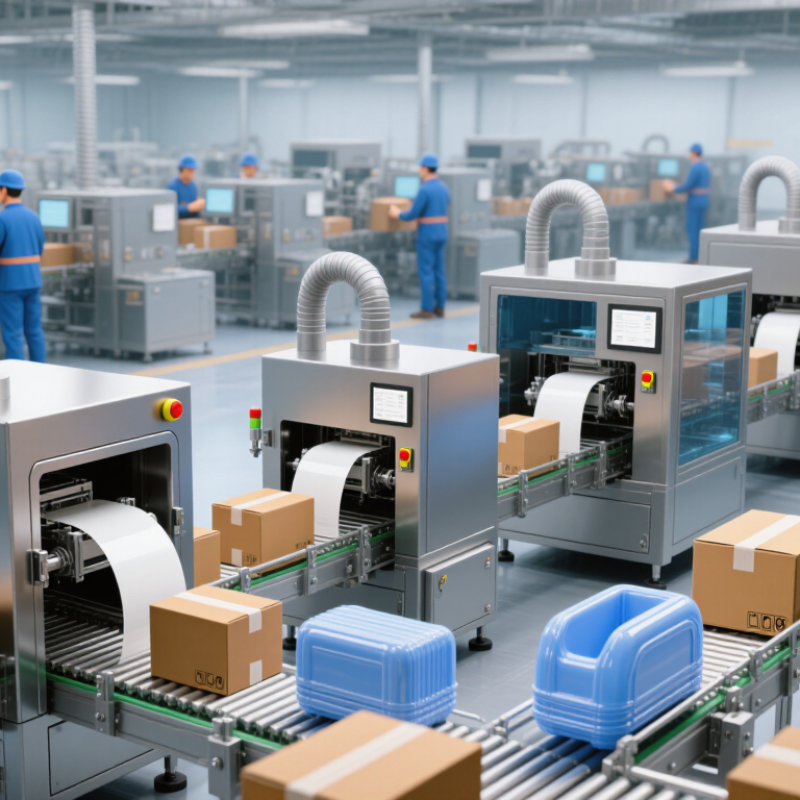
A print-and-apply labeling system turns product data into a physical label and places it on an item or package. A sensor detects each passing carton, tray, or container. The control system then signals the printer with the correct information, such as a lot code or destination. The label is printed just before application, which helps keep changing data matched to the right package. Timing matters.
After printing, an applicator transfers the label to the package. Some systems use a tamp pad that presses the label onto a stationary surface. Others apply it to moving products with a short burst of air or a wipe-on arm. A scanner or camera can check whether the label is present and readable. If placement is off, operators may need to adjust the sensor position, label speed, or applicator pressure. Small changes can make a visible difference.
In practice, the setup is rarely as tidy as a diagram. Dust, uneven cartons, and changing line speeds can affect placement. A label that looks centered on one package may sit too close to an edge on another. Routine checks of print quality, sensor response, and label rolls help reveal problems early. The machine does not judge context; it follows settings. That limitation deserves attention.
| System Type | How It Works | Typical Label Placement | Common Applications | Key Considerations |
|---|---|---|---|---|
| Tamp-and-Apply | A printer produces a label, which is held on an applicator pad by vacuum. The pad moves to the product or package and presses the label into place. | Flat surfaces, such as the top or side of a carton. | Cartons, cases, trays, and packages moving along a conveyor. | Provides controlled placement, but the applicator must have enough clearance and time to reach the target surface. |
| Tamp-Blow | A printed label is carried on a tamp pad toward the target. An air burst transfers it across a small gap, reducing or avoiding direct contact between the pad and product. | Flat surfaces that are sensitive to contact or positioned with a small, consistent gap. | Packaged goods and cases where contact pressure should be limited. | Requires suitable air pressure and a controlled application distance; airflow and label stiffness can affect placement. |
| Blow-On | The label is printed and presented at an application plate. A burst of air carries it onto the product without a tamp pad pressing against the surface. | Accessible surfaces on products or packages passing close to the applicator. | Conveyor applications where non-contact placement is useful. | Works best when product position, air flow, and the distance to the target are consistent. |
| Wipe-On | The printer presents the label onto a peel plate. As the package moves past, a brush, roller, or similar device wipes the label onto its surface. | Side or top surfaces moving continuously in a predictable direction. | Cases, cartons, and containers on production or packaging lines. | Needs steady package movement and a suitable contact surface; gaps or changes in orientation can affect placement. |
| Corner-Wrap | A label is printed and applied so that part of it adheres to one panel and the remaining section wraps around an adjacent edge. | Two adjoining faces at a package corner. | Cases and cartons requiring identification visible from more than one side. | Package dimensions and corner geometry must be consistent enough for the label to wrap and adhere correctly. |
| Top-and-Bottom or Dual-Panel | One or more print-and-apply units place labels on separate package faces, either at the same station or at coordinated points on the line. | Top and bottom, or two other specified package panels. | Cases and packages needing identification on multiple faces. | Requires coordinated package handling, sufficient line space, and verification that each required label is present. |
Print-and-apply systems typically combine a label printer, an applicator, sensors or controls, and a mounting arrangement. Labels may be printed using direct thermal or thermal-transfer methods, depending on the label material, expected service life, and environmental requirements. System performance depends on the application, label stock, package surface, and line conditions.
It should print variable product data, place labels accurately, and verify codes in-line. Small defects matter.
They require crisp printing and reliable readability checks. A blurry code can slow the line.
Match it to the package surface. Flat cartons may suit wipe-on application; recessed or uneven packs may need tamp or air-blow application.
Run your actual containers at normal line speed. Include pauses and changeovers, then check for jams, misplaced labels, and unreadable codes.
Not always. A short test may hide problems with uneven spacing, adjustments, or stock reloads. We can overvalue headline speed.
Consider peak speed, label sizes, package spacing, and how often products change. A seam or damp surface can shift a label.
Confirm it receives the correct product data and works with existing controls. Sensors can spot shifted packages and print errors sooner.
Check enclosure suitability and cleaning access in dusty, cold, or washdown areas. Look at access during routine maintenance, too. Easy to overlook.
Print and Apply Labeling Systems automate the printing and placement of labels on products, packages, or cases as they move through production. A typical system combines label-design and data software, a printer, an applicator, and sensors or controls that coordinate each step. In 2026, advances such as smarter automation, real-time data connections, improved vision and sensing, and more flexible application methods are helping systems adapt to changing products and production demands.
Common system types include tamp, blow-on, wipe-on, and corner-wrap applicators, each suited to different package shapes, line speeds, and labeling positions. When comparing options, consider not only print and application speed but also placement accuracy, uptime, ease of changeover, maintenance needs, and compatibility with existing equipment. The right choice depends on your products, packaging, available line space, required output, and future growth. Matching these factors carefully can help create a reliable labeling process with consistent results.